 Deste
01 / CAPTURE
Keep your flow.
On Mac, select the folder where your screenshots are saved. New captures join your deck while you get on with your day.
YOUR SCREENSHOTS, WELL KEPT
A thought. A ticket. A little inspiration. Give the things you capture a place worth coming back to.
Capture. Keep. Find.
Try a capture. Then open your deck.
An illustration of the Mac experience. Sample content; no screen access needed.
Screenshots are little intentions.
Deste gives them a next step.
01 / CAPTURE
On Mac, select the folder where your screenshots are saved. New captures join your deck while you get on with your day.
02 / KEEP
Pin what you need next, favorite what you love, and archive what you want to keep. Custom collections are free.
03 / FIND
Search recognized text, copy useful details, and bring that screenshot back into your work.
A COLLECTION, NOT A PILE
A thoughtful library turns yesterday’s captures into today’s useful little discoveries.
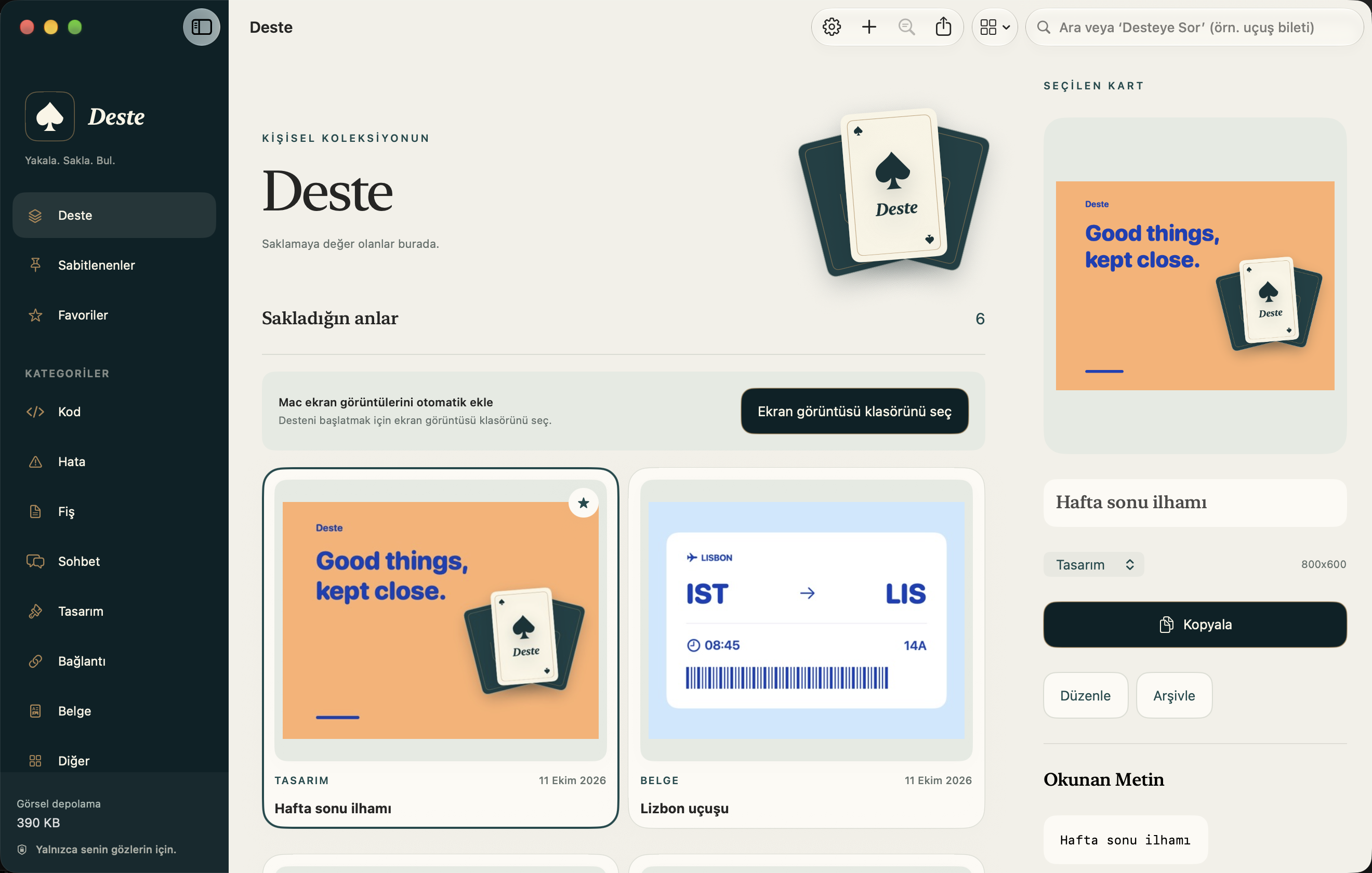
Recognize and search text on your device. Copy a detail without retyping it.
Suggested categories make code, receipts, conversations and inspiration easier to find.
Copy or export a card. On Mac, crop, annotate and mask sensitive areas before sharing.
ONE COLLECTION. YOUR EVERYDAY.
Capture an area, a window or a screen. Watch your screenshot folder, browse the floating deck and polish a capture in the editor.
macOS 14 or laterImport from Photos or the share sheet, search recognized text and review screenshots in Cleanup. Optional iCloud sync uses your personal account.
iOS / iPadOS 17 or laterPERSONAL, BY DESIGN
Text recognition and content analysis happen on your device. We do not receive your screenshot content or use it to target advertising.
Optional iCloud sync uses your private Apple account. The iOS Deste and Library screens can display non-personalized Google ads. Mac has no advertising SDK.
Read our privacy policyEVERY FEATURE, FREE
Custom collections and Ask your deck are free on Mac, iPhone and iPad. No subscription or in-app purchase. The iOS Deste and Library screens can display Google AdMob ads.
For release updates, questions or a little help getting started, say hello.
Get in touch